Settings
In Settings you can change your display name, manage your new offer subscription, and open your connected social accounts.
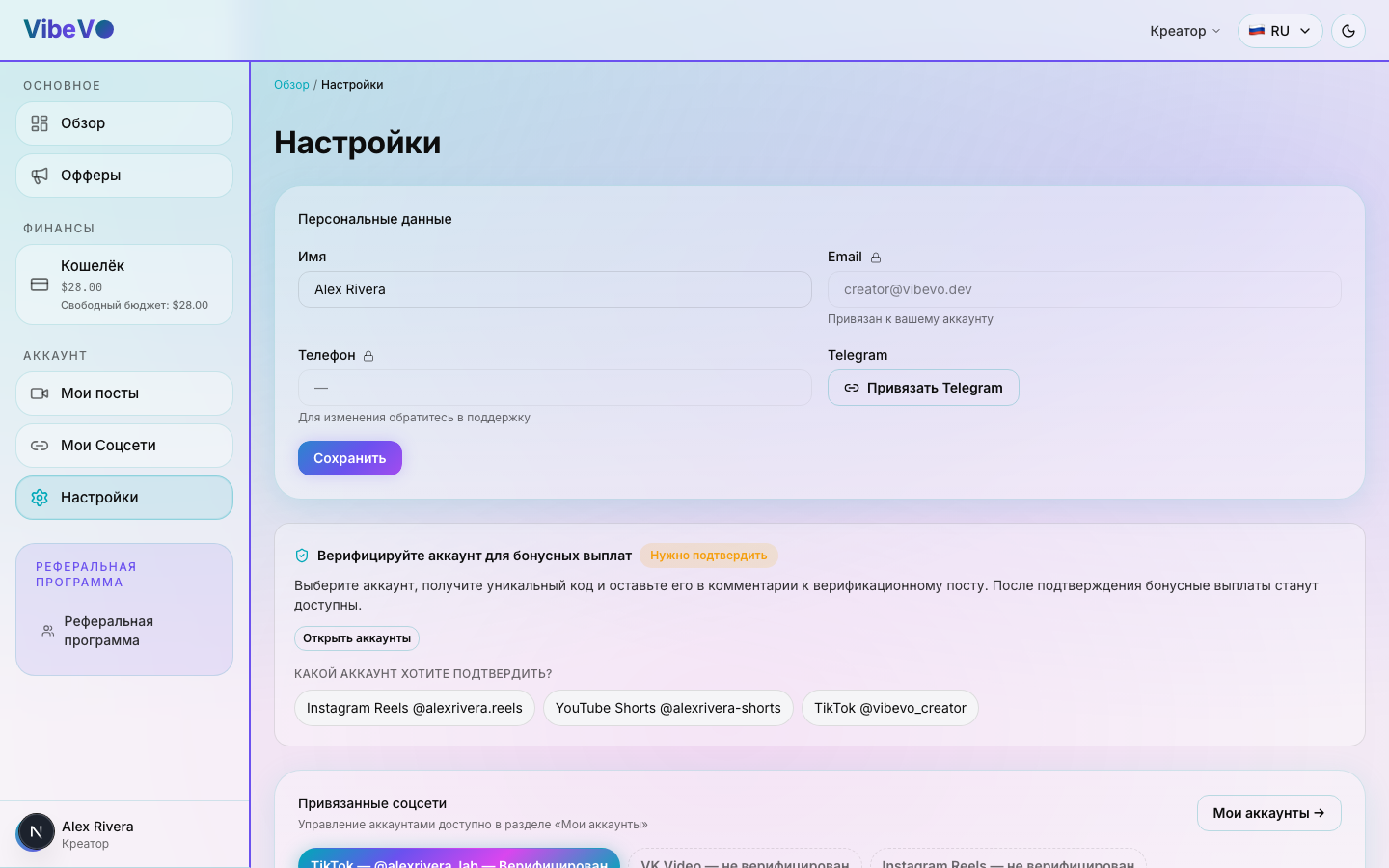
Profile
One field is editable:
- Name (display name) — how you appear in the dashboard and to advertisers.
Your profile also shows your contact details:
- Email — Your linked email for signing in with a one-time code.
- Telegram — shown if Telegram is linked to your account.
You can link a missing email or Telegram using a separate form in settings. Values that are already linked are protected from editing; follow support's instructions to replace them. Linking a sign-in method does not replace connecting accounts used for publishing.
Notification delivery settings
Linking an email or messenger to your profile and choosing notification types are different actions. A linked channel may be used for sign-in and messages, but linking it does not subscribe you to every type of notification.
The general Email, Telegram, and Push switches in cabinet settings do not currently control message delivery. The profile save button does not apply these switches. If you need help receiving or turning off messages, contact support and specify the channel and notification type.
Creators have a separate, working setting for receiving new offers. It is saved separately and applies to new offers, not to every platform message. See the new offers section in creator settings for more details.
New offer notifications
The Receive new creator offers switch controls notifications about new offers specifically. They are automatically turned off after you create your own advertising campaign. If you work as both advertiser and creator, enable this setting to continue receiving creator opportunities.
This does not turn off all VibeVO messages or connect a messenger. Linking a channel account, messages about existing posts or payments, and subscribing to new offers are separate things. This switch alone does not guarantee delivery through a particular channel.
More on what gets sent and how: FAQ: Notifications.
Content topics and moderator assignments
Choose topics that describe the content of your accounts. This selection applies to connected accounts whose topics can be edited. If you have no social accounts yet, add them first: there are no accounts to save topics for yet.
Some accounts may have topics assigned by a moderator. These assignments are shown separately with a restriction icon. Changing your general selection does not replace them or mean that the moderator's assignment has been removed. Check the message after saving: it shows which accounts the change was applied to.
If an assigned topic does not match your content, use the option shown in the interface to request a review. Do not choose an unsuitable category just to gain access to an offer: a specific task may still have its own requirements.
Connected social accounts
Settings show every social account you have connected (YouTube, TikTok, Instagram, VK Video) with its status and an unlink button. Full guide on connecting and verification: Connecting social accounts.
UTM info
If you signed up via a referral link, settings show the source that brought you in (UTM parameters). This block is informational — there's nothing to change.
Payout methods
Payment details are entered when you create a request on the Wallet page. The currently available crypto withdrawal methods are:
- USDT (TRC-20) — a USDT wallet address on the Tron network
- TON — a TON wallet address
Didn’t work? Ask in the creator chat or message the bot:Creator chatWhatsAppTelegram
Was this article helpful?
Updated: September 23, 2026