Wallet & withdrawal
All earnings inside VibeVO are tracked in USDT — the platform's single internal currency. The withdrawal form currently supports two crypto methods: a USDT wallet (TRC-20) or a TON wallet.
What wallet amounts mean
Available means funds you can request to withdraw under the withdrawal terms. Frozen means funds temporarily unavailable, for example during a post statistics review. Sales on hold are a separate hold on marketplace proceeds until the required deal stages are complete.
Posts accumulating toward a minimum payout appear separately and are not yet available funds. An existing withdrawal request is another process: check its amount and status in the history. Look for the hold reason in the post, deal, or wallet notice; there is no single three-day wait covering all these amounts.
Minimum amount
The minimum withdrawal amount is set by the platform and checked when you submit the request. If the amount is below the current limit, VibeVO shows an error with the actual value.
Amount, fee, and network
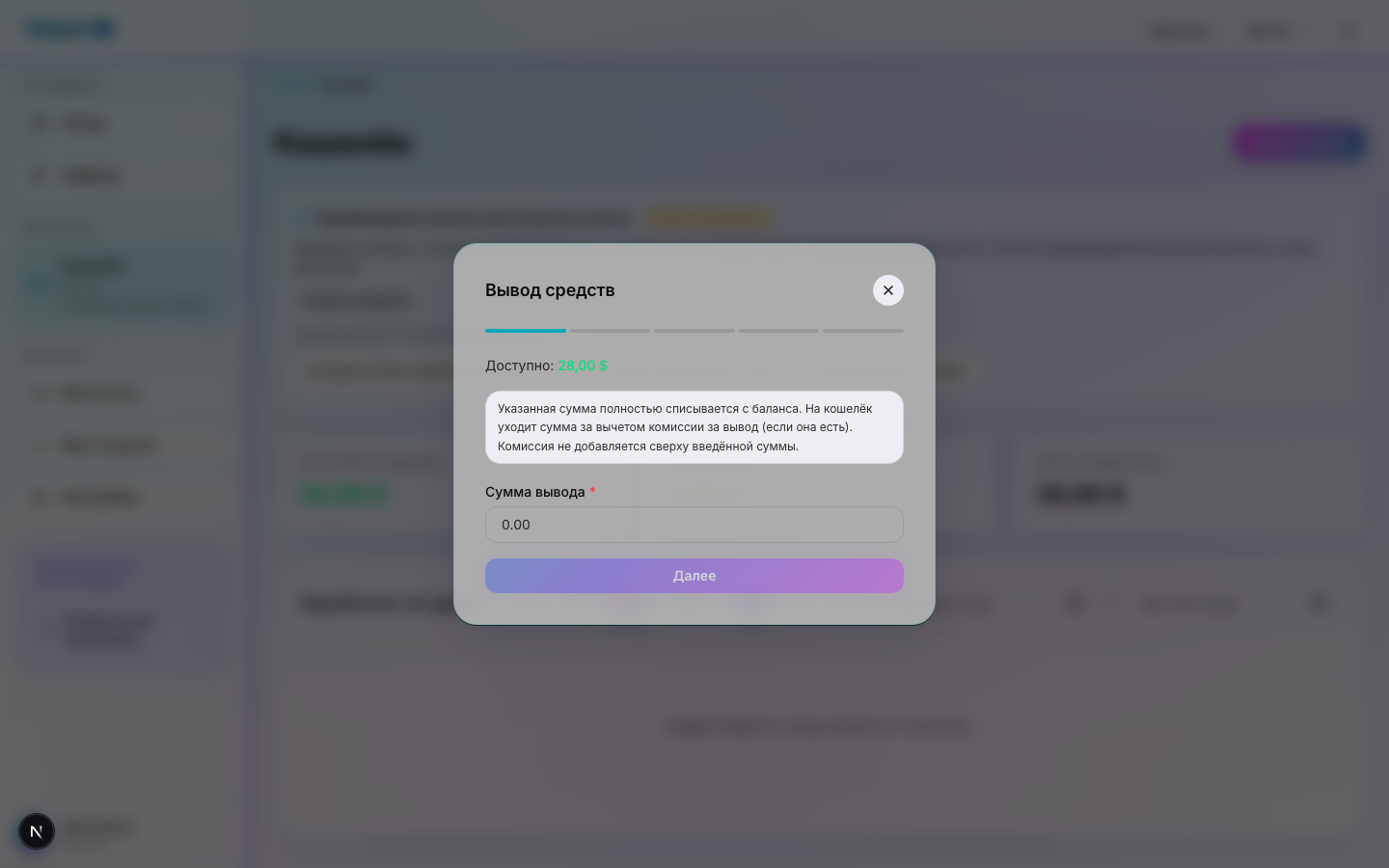
The full entered amount is deducted from your balance; the fee is included in it. For example, an amount of 20 USD with a 1 USD fee gives 19 USD in the amount to receive. This is an example: check the current fee, minimum, and total in the form before confirming.
From level 6, you get one fee-free withdrawal per UTC calendar month; from level 9, two; from level 15, an unlimited number. The perk waives both the platform’s fixed and percentage fees. The minimum amount, available balance, account restrictions and request review still apply. Reaching a level does not award a separate cash payment.
Pending and completed requests use an allowance in the month they were created; cancellation or rejection releases it. Methods with a zero fee do not use the allowance. Check the final fee in the form before confirming.
Choose an available withdrawal method and ensure the address supports the selected network. For TON, include a memo/comment if the recipient requires one. Do not use an address from another network. Processing and crediting depend on the method and request state.
Withdrawal methods
| Method | Destination | Default fee |
|---|---|---|
| USDT (TRC-20) | USDT address on the Tron network | 3 USD |
| TON | TON address | 1 USD |
Timing
- USDT (TRC-20) and TON — usually a few minutes after network confirmation. Depends on the current blockchain load.
How to withdraw
Go to Wallet
Open the Wallet section in the sidebar. You'll see your total balance and the amount available for withdrawal.
Click "Withdraw"
Enter an amount no larger than your available balance. The current minimum is checked when you confirm the request.
Choose method and amount
The form offers two methods:
- USDT (TRC-20)
- TON
Enter payment details
Enter the wallet address (USDT-TRC20 or TON). Double-check the details: once a crypto transaction is confirmed on-chain it cannot be reversed.
Confirm the request
The request appears in history as awaiting processing. You'll get a notification when it moves to a final status.
Request statuses and cancellation
- Awaiting processing — the request has been registered; cancellation is possible only while the button is available. It may no longer be available once processing starts.
- Completed — the payout has been processed. Check the recipient details and available transaction information.
- Cancelled — the request was cancelled or rejected; funds return to the balance.
- Failed — the payout did not go through. Read the comment and contact support if the next step is unclear.
Was this article helpful?
Updated: October 9, 2026