Wallet / Billing
The VibeVO advertiser dashboard displays prices and amounts in USD. On the Wallet / Billing page you top up your balance, see how funds are distributed across active campaigns, and review transaction history.
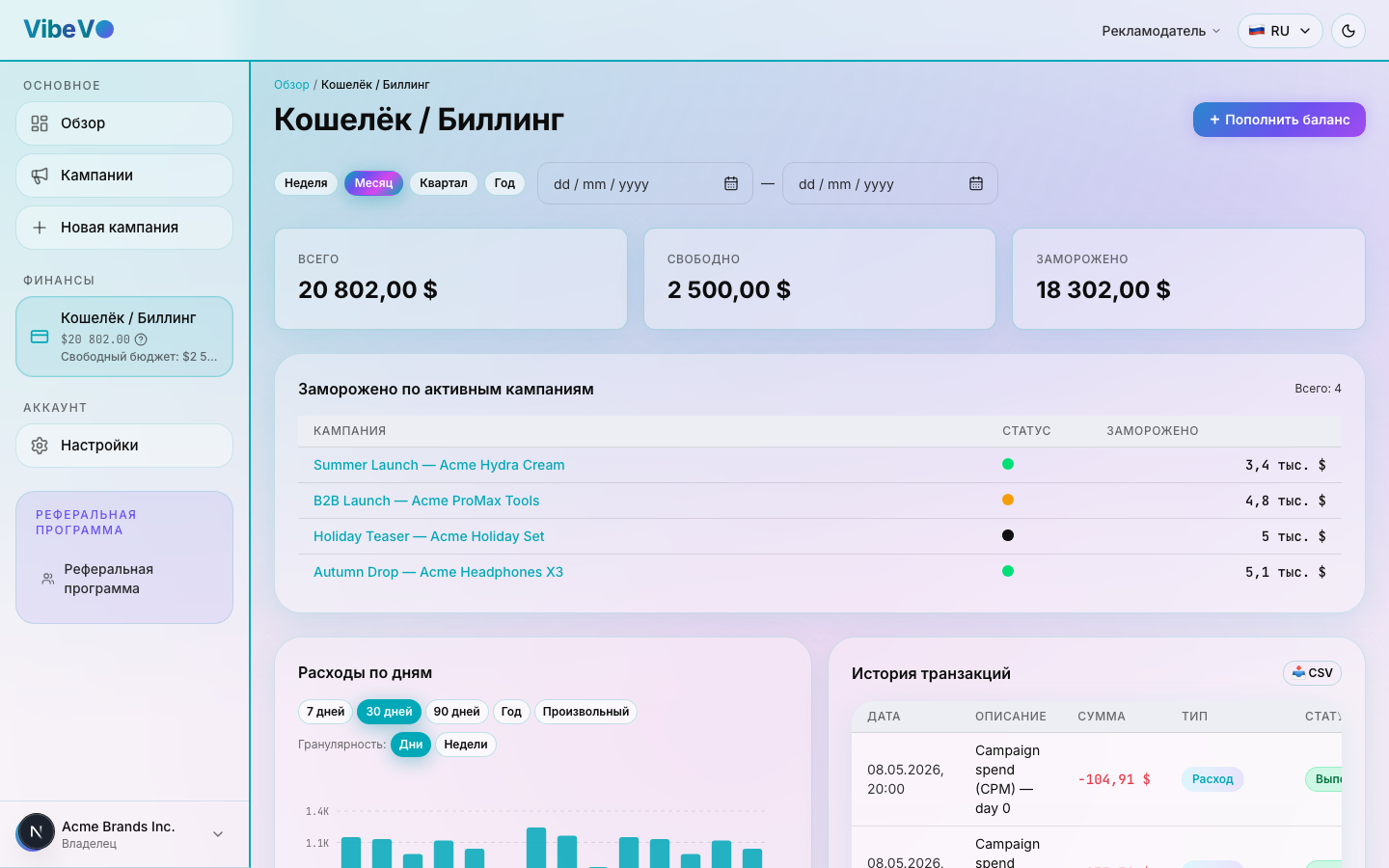
Balance
Free balance is available for funding campaigns. Total balance equals free balance plus the campaign balances listed under “Frozen”. That list includes positive balances of campaigns other than completed or archived campaigns; it does not include every campaign without exception.
“Frozen” in the wallet refers to remaining campaign funds. Amounts “under review” in campaign details refer to spending on posts still being checked. These are different measures.
Pausing a campaign does not itself return funds to the free balance. Unused funds return after final campaign closure and settlement.
Campaign budget and balance
Total budget sets the financial size of a campaign. Campaign balance is its remaining funds, while spending is the amount already used. These figures are not interchangeable.
New campaigns have a separate wallet: creating a draft sets the budget but does not yet transfer funds. Submitting it for moderation transfers the required funds from the free balance. Funding is also checked before launch; insufficient funds can prevent submission or launch.
Do not assume that older campaigns with a different billing arrangement follow exactly the same process. Check their available actions, balance and history, and contact support about discrepancies.
How to top up
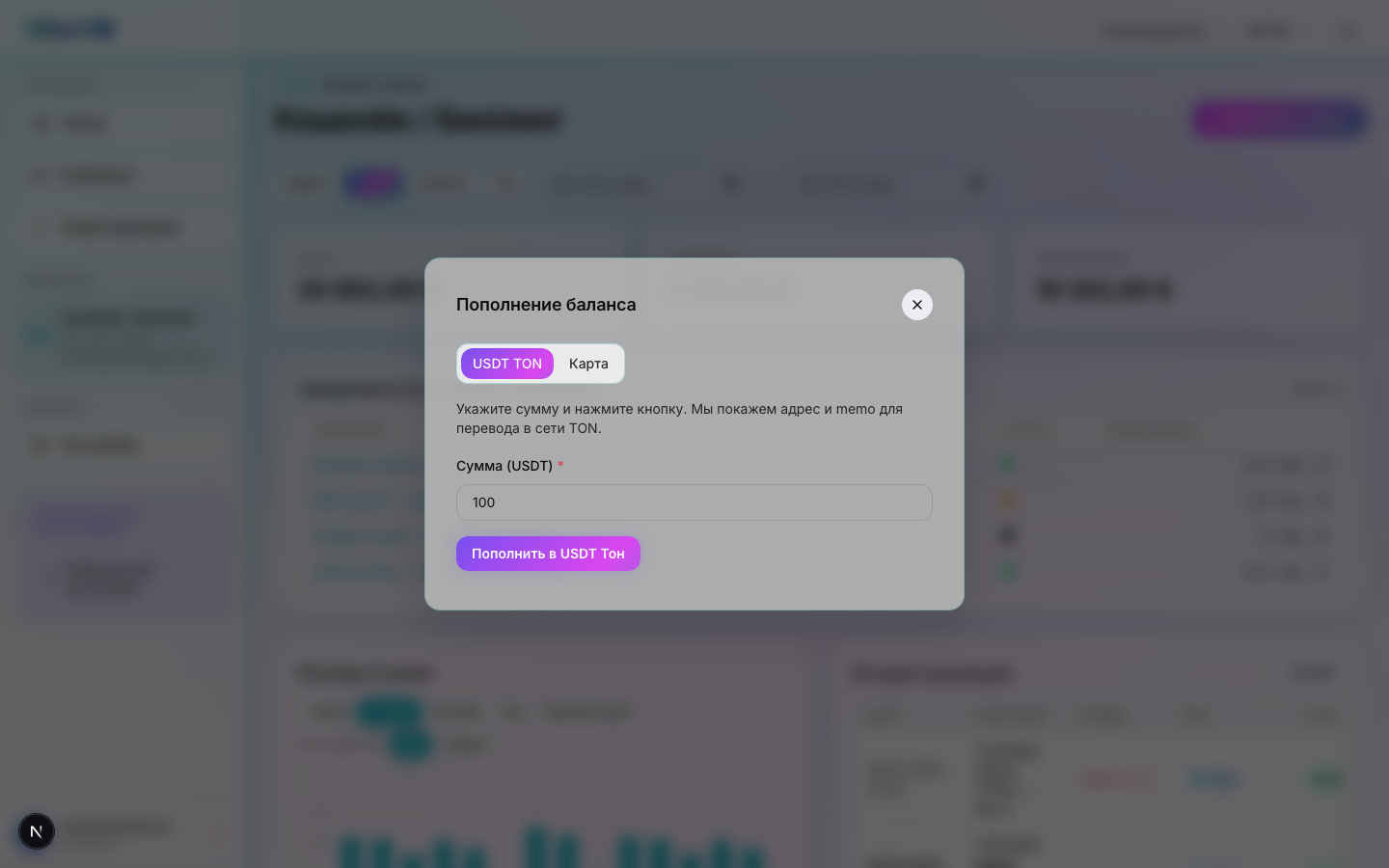
A wallet top-up is an external payment. Open Wallet / Billing → Top up balance and choose Crypto, Card or Bank. Check current amounts, limits and conditions in the selected payment form.
Crypto: use USDT on the TON network. Copy the displayed address and memo; both are required for crediting. A different asset, network or missing required memo does not follow these payment instructions.
Card: enter the amount and follow the Changelly partner offer on its payment page. Bank: contact support from the bank transfer tab to arrange an invoice-based payment; this is not an automatic card payment.
After payment, check its status in the history. Processing does not mean the funds are already available. If a payment is missing, send support the amount, date and transaction or payment order ID. Do not send another payment solely because the display is delayed.
Fund a campaign
“Increase campaign balance” transfers the entered amount from free balance to the selected campaign. This is an internal transfer, not another external wallet payment. Check the amount before confirming: this form does not support decreasing campaign balance.
If free balance is insufficient, top up the wallet first. Funding may be unavailable once a campaign is closing, so check its status. Unused funds return through final closure, not a reverse transfer in this form.
Transaction history
Use the history to reconcile top-ups and other wallet operations: check the type, date, amount and status. Use the available filters to find relevant entries. Also check campaign details for its own spending and balance.
A pending or unsuccessful payment is not a credited payment. Returning campaign funds to free balance is not a withdrawal to an external wallet.
Platform commission
Commission and fund allocation depend on the campaign conditions. The advertiser rate is not the amount received by a creator; creator rewards reflect the applicable terms.
There is no promised fixed percentage for every campaign. Financial allocation settings are managed by the platform and are not standard advertiser fields. Contact support with the campaign ID if you need a specific calculation explained.
Transaction history and export
Billing history is divided into charges, transactions and top-ups. These sections answer different questions: charges show expenses, transactions show the displayed movements of funds, and top-ups show the supported operations that add funds to the wallet. Do not add the three sheets together as independent amounts: related operations may describe different sides of the same movement of money.
Excel contains all pages of the available history in these three sections, not just the current table page. Its contents follow the dashboard’s history rules, including the display threshold for small amounts and the supported types of top-up. This is a user report, not a complete raw log of all internal financial records.
The saved file is a snapshot at the time of export. Use the sheet names, dates, currency and operation descriptions when reconciling it. If you need details that are missing from the available history, contact support and identify the specific operation.
Was this article helpful?
Updated: September 23, 2026